
Engage
Launch the Engage Section
ACTS is what the teacher will do and ASKS is how the teacher will facilitate.
| ACTS | ASKS |
|---|---|
|
|
Getting the Students Ready to Build
You are going to build your own Pantograph so you can test out creating scaled drawings of your own!
Facilitate the Build
- InstructInstruct students to join their groups, and have them complete the Robotics Roles & Routines sheet. Use the Suggested Role Responsibilities slide in the Lab 1 Image Slideshow as a guide for students to complete this sheet.
-
DistributeDistribute
build instructions, blank paper, and the Engineering Design Process Organizer to each group. If the Pantograph is not built, Journalists should gather the materials on the checklist.
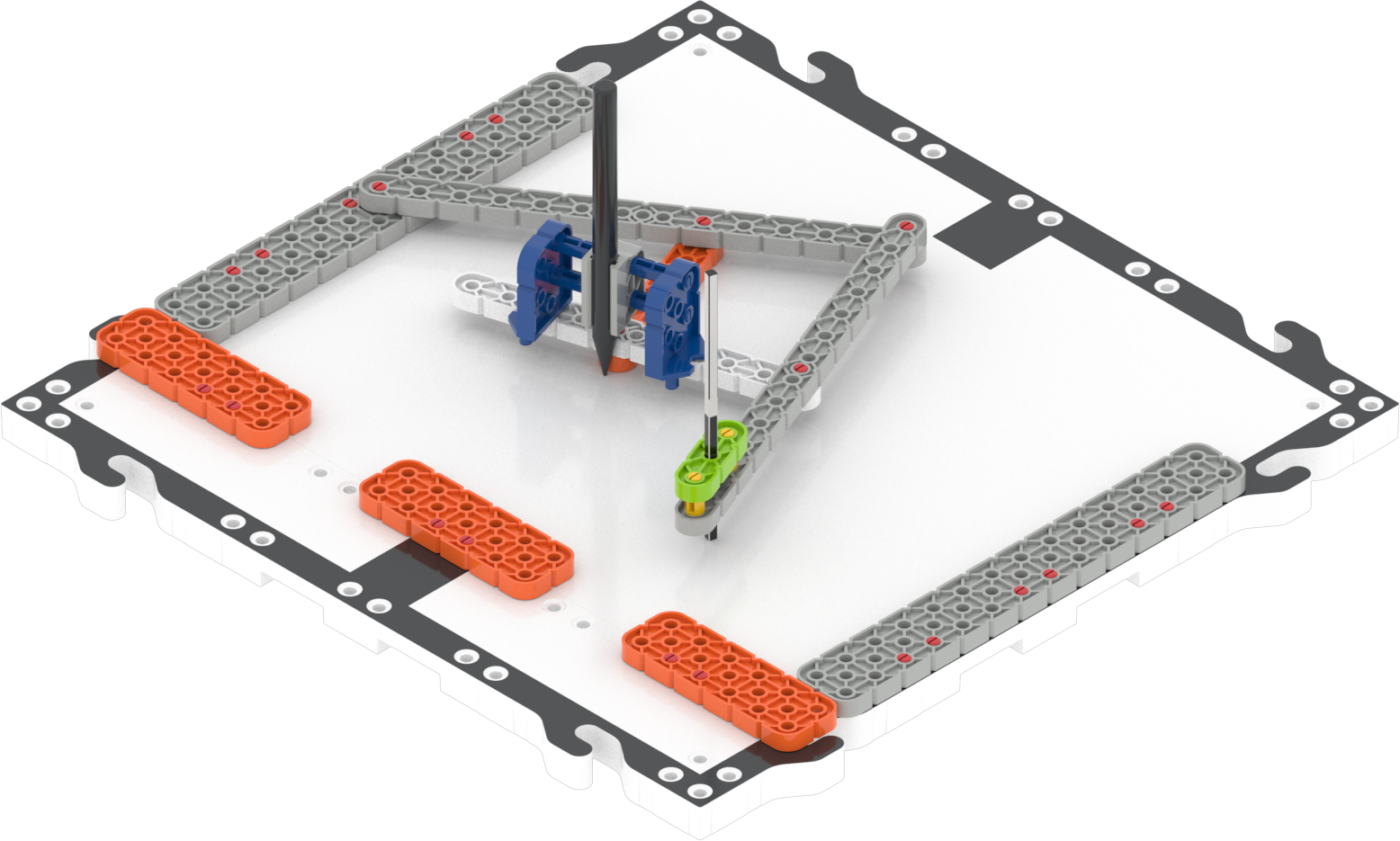
Pantograph -
FacilitateFacilitate
the building process.
- Make sure students are clear on their roles in the Build Instructions by using the Suggested Role Responsibilities slide.
- Builders can begin building their portion of the build. Journalists should assist with Build Instructions as needed, and complete their portion of the build instructions.
- Encourage students to use spatial language in their conversations as they build. How are the beams related in size? When the pins are in place, how do they help the beams move in relation to one another?
- OfferOffer suggestions and note positive team building and problem solving strategies as groups build together.

Teacher Troubleshooting
- Prior to starting the Play section, ensure that each group has a pen or pencil that will fit in the Slide Block. The writing utensil will need to be able to leave a clear mark on paper with minimal pressure. An ink pen or thin marker can be good options.
- If there are issues keeping a writing utensil in the Slide Block, use the rubber band from the VEX GO Kit to wrap around the pen or marker and Slide Block to keep it in place. See the Pen Attachment Troubleshooting image from the Lab 1 Image Slideshow for more detail.
Facilitation Strategies
- Positively reinforce group work and turn taking. Ask students to refer to their Robotics Roles & Routines throughout class. What are their responsibilities? Are they sticking to their agreements?
- If students are struggling during the build, ask them to look for clues in the Build Instructions. Are there any highlights or icons that could help them solve their problem? Could they ask another student who is past that point for help?
- Try a different shape – For groups who finish early, and need additional challenges, have them try to trace a different object from around the classroom using the Pantograph. How do they think that shape could be useful in creating a blueprint?