
It's game time! In this lesson, your challenge is to collect and kick sports balls through a goal using the One Stick Controller. You will learn the Drive mode on your VEX AIM Coding Robot, then try it for yourself. As you practice, you'll find the best way to line up your shots, adjust your driving, and get more comfortable controlling the robot.
Watch the video below to learn about the Drive mode, including:
- Moving the robot with the joystick.
- Kicking a ball with a controller button.
Now that you have watched the video, capture your thoughts in your journal. Use these questions to guide you:
- How do you think the Drive mode moves the robot? How are objects picked up by the robot? Explain your thinking, even if you are unsure.
- What did you observe in the video that supports your thinking?
- List at least two questions about driving the robot and manipulating objects that will help you better understand how to complete a task.
- Is there another way to use the controller to complete the actions shown in the video? Why or why not?
You will use your answers to help you participate in the whole-class discussion.
Guided Practice
Now that you have seen and talked about driving your robot, it is your turn to practice!
Step 1: Set up the field as shown below.
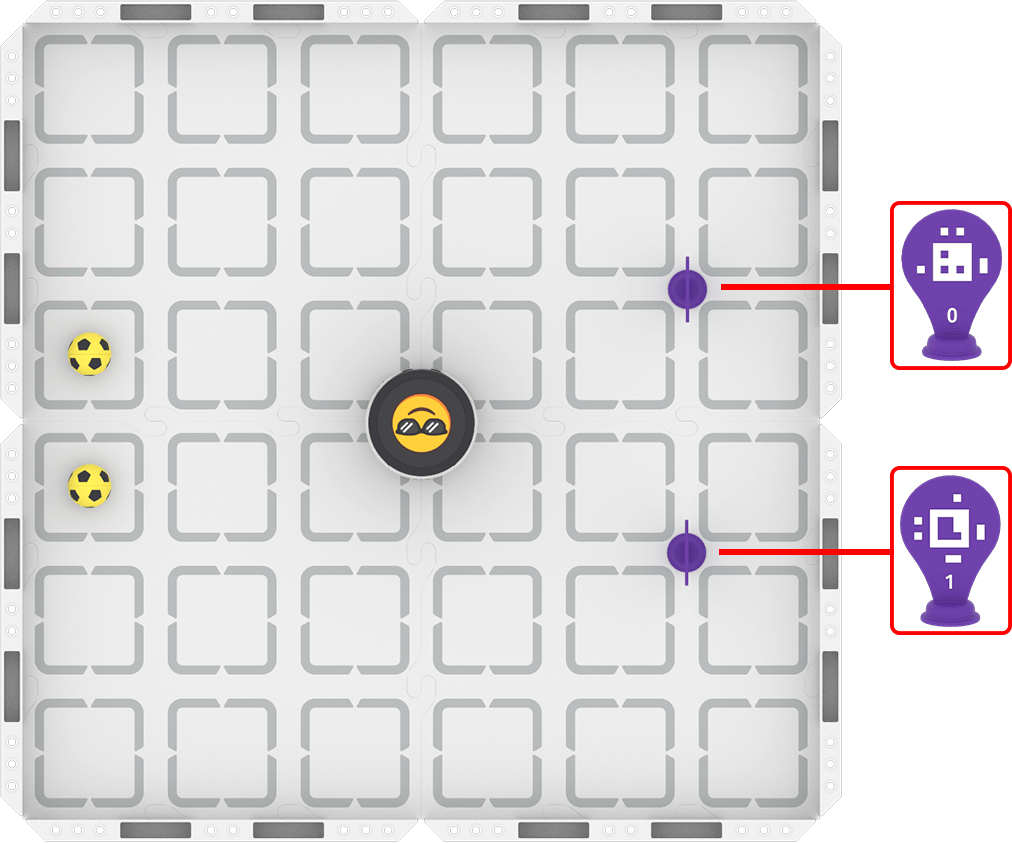
Step 2: Start the activity.
- Your task is to drive the robot to kick both balls through the goal using the fewest attempts.
- Use the content in this article to guide you through using Drive mode with your robot.
- Use this task card (Google / .docx / .pdf) to guide your practice.
- Pro Tip: Write down where the robot is on the field when you have successfully kicked a ball through a goal. You can use this for reference as you go to kick the second ball.
Resources for Practice:
The articles linked here are available if you need additional support while completing the activity.
Wrap-Up
Now that you have practiced, it is time to share what you learned. Answer the following questions in your journal. You will use your answers in a whole-class discussion.
- What was your strategy for completing the task? Why do you think that strategy was successful?
- What is something you learned through practice that is different than what you saw in the video?
Select Next > to move on to the next lesson.