
Summary
Materials Needed
The following is a list of all the materials and teaching resources that are needed to complete the VEX 123 Lab. First listed are the materials needed for the entire Lab, including the 123 Robot. In certain Labs, links to teaching resources in a slideshow format have been included. Not all Labs will include a slideshow. These slides can help provide context and inspiration for your students. All slides are editable, and can be projected for students or used as a teacher resource.
| Materials | Purpose | Recommendation |
|---|---|---|
|
123 Robot |
For performing the behaviors in Lab activities. |
1 per group |
|
Coder |
For building a project to use with the 123 Robot. |
1 per group |
|
Coder Cards |
For inserting into the coder to create a project. |
See Environment Setup for specific cards each group will need |
|
123 Field |
For a place on which to use the 123 Robot. |
4 tiles and 8 walls for every 2 groups |
|
Lab 2 Image Slideshow Google Doc / .pptx / .pdf |
Visual aids for teacher facilitation. |
1 per class |
|
Story Prompts Google Doc / .docx / .pdf |
For offering students scenarios throughout the Lab. |
1 per class |
|
Emotion codes from Lab 1 (examples also provided in the Lab 2 Image Slideshow) |
For coding the 123 Robot throughout the Lab. |
1 central set for class access, or a copy for each group |
|
Pencils |
To write or draw stories in Play Part 2. |
1 per group |
|
Paper |
To write or draw stories in Play Part 2. |
1 per group |
|
VEX 123 PDF Printables (optional) |
To use as manipulatives to support student project planning and saving. | 1 per group |
Environment Setup
- Think about the noise level in the room. Remind students to be quiet and to listen carefully, so that they are able to hear the sounds that the 123 Robot makes as it is acting out different feelings.
- Ensure that during the Engage demonstration, all students are able to see and hear the 123 Robot. You may want to do this demonstration in your Morning Meeting or Circle Time space, and have students sit in a circle, with the 123 Robot in the center.
- Gather the materials each group needs before class. For this Lab, each group of two students will need pencil and paper, a 123 Robot, a Coder, a 123 Field on which to test, and the following:
- One "When start 123" Coder card
- Three Sound Coder cards (Play honk, Play doorbell, Play crash)
- Three Looks Coder cards (Glow purple, Glow green, Glow blue)
- Five Motion Coder cards (Drive 1, Drive 2, Turn left, Turn right, Turn around)
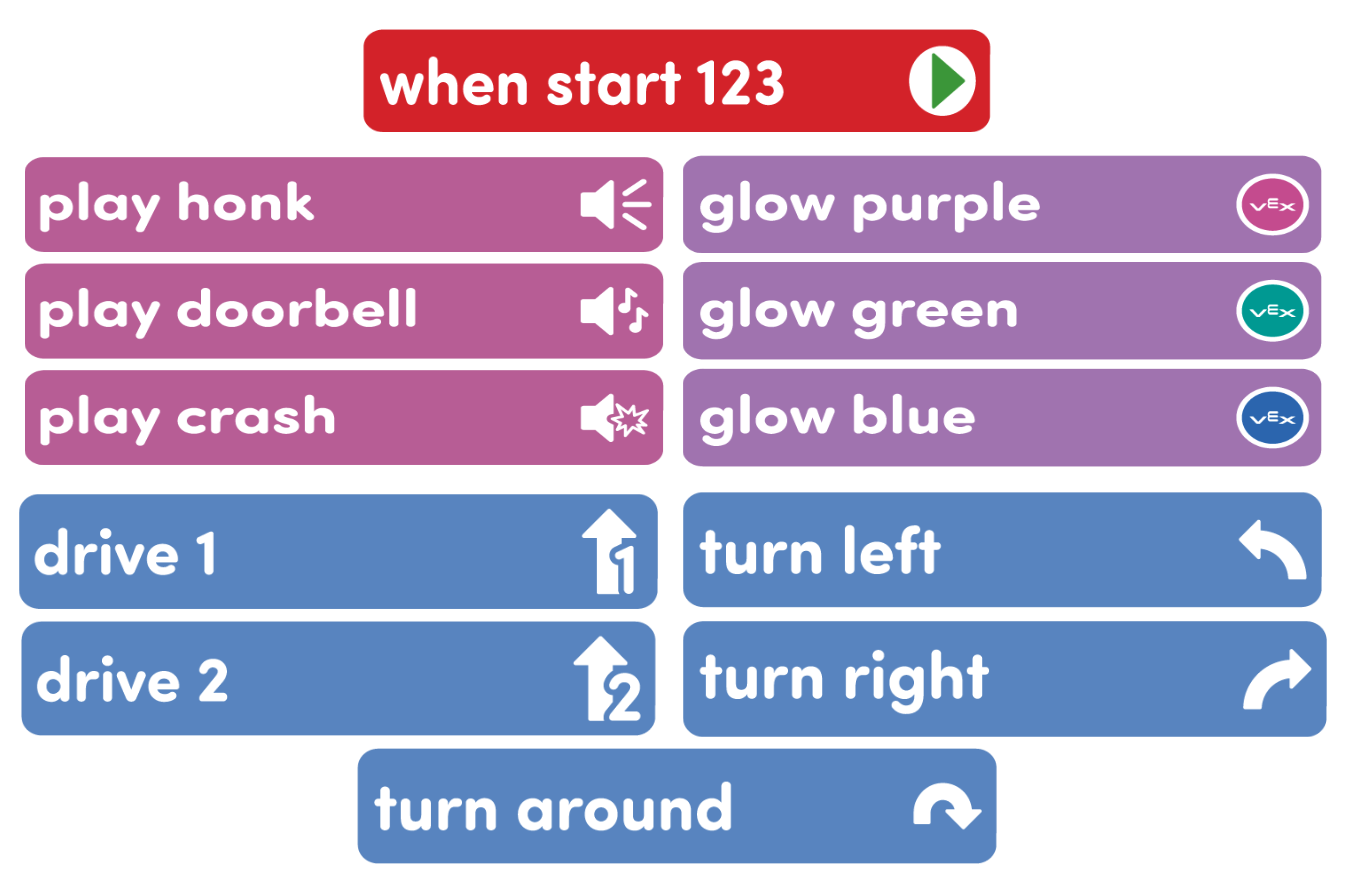
- To keep your class organized and your students focused on only the necessary Coder cards, only give them access to the cards listed above as needed during the Lab.
- Review the Facilitation Strategies in the Engage section for turn taking ideas to help students share responsibilities during the Lab. For groups larger than the recommended two students, provide students with more granular roles. Examples of responsibilities for students in this Lab:
- Placing the 123 Robot on the Field to test.
- Laying out the group’s Coder cards to plan the behaviors of the 123 Robot.
- Inserting the Coder cards and pressing the "Start" button.
- Writing or drawing the story in Play Part 2.
Engage
Begin the lab by engaging with the students.
-
 Hook
Hook
In Lab 1, we talked about how we show our feelings, but what about how we know what others are feeling? How can you tell what someone else is feeling? Do other people always feel the same way that you do? Why or why not?
-
 Demonstrate
Read a short story scenario, and then discuss how the character feels. Use an emotion code project from Lab 1 to code the 123 to act out the feeling of a character from the story.
-
 Leading Question
I’m wondering about the emotion codes we made in Lab 1. Do you think we could use those, and our 123 Robots, to help us practice figuring out others’ feelings?
Play
Allow students to explore the concepts introduced.
Part 1
Students will then be given another story prompt, and will work with their groups to plan and create an emotion code project to match the feelings of the main character in the story.
Mid-Play Break
Groups will engage in a discussion to compare their emotion codes. Students will reflect on how people can feel differently about the same situation, by seeing how different groups chose different emotions to express in their code.
Part 2
Students will plan and create their own story prompt and matching emotion code projects.
Alternate Coding Methods
While this Lab is written for use with the Coder, it can also be completed using VEXcode 123. Instead of giving each group a Coder and Coder cards, give students a tablet or computer and build the emotion code projects using the blocks in VEXcode 123. For more information about VEXcode 123, reference articles in the VEXcode 123 section of the VEX Library.
Share
Allow students to discuss and display their learning.
Active Share
Have each group share the story that they created. Then, explain which emotion code they used, and why they felt that matched the character’s feeling. Students will then share their projects for the class with the 123 Robot.

Discussion Prompts
- Did someone else in your group or even another group have different feelings about one of the stories?
- How did you work with your group to create a story or situation? Did everyone in the group have the same feelings about it?
- Could your same code be used to express a different emotion? Why or why not?