
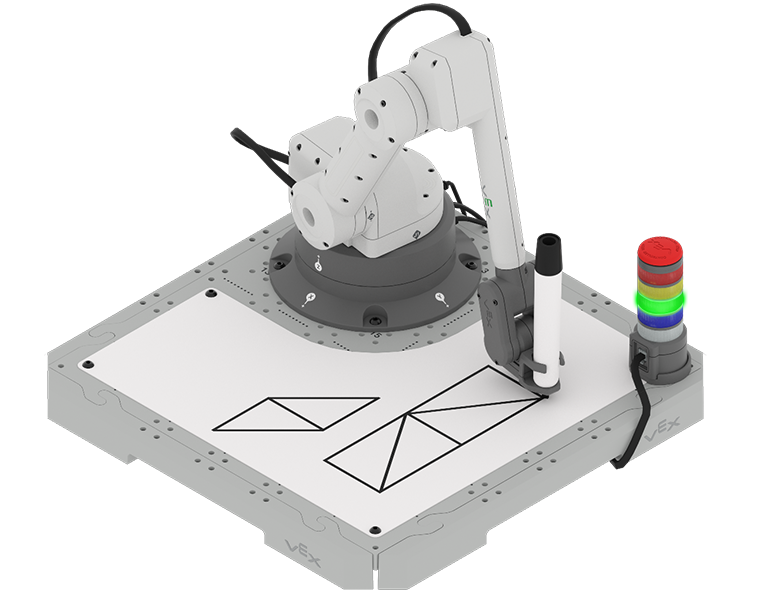
In the previous Unit, you moved the 6-Axis Robotic Arm to various waypoints, moving along the x and y-axes one at a time. In an industrial robotics setting, there are many situations where you will need to move in a controlled way along multiple axes simultaneously.
Throughout the Unit you will learn how to find the necessary coordinates to draw a specific shape, building your understanding of how the 6-Axis Arm moves along multiple axes in 3D space. By the end of the Unit you will apply your learning to draw multiple shapes on the Whiteboard.
Watch the introduction video below for an overview of what you will learn and do in this Unit.
Co-Create Learning Targets
Now that you have watched the video, you know that you will code the 6-Axis Arm to move in multiple axes simultaneously in order to draw shapes. First, you will learn about how the 6-Axis Arm coordinates movement along multiple axes to move in a diagonal path. Then you will learn how to code the 6-Axis Arm to move and draw a triangle. You will build on this skill to find missing coordinates, so that you code the 6-Axis Arm to draw the missing sides of a square. You will pull all of this together to draw a parallelogram and rectangle at the end of this Unit.
You will co-create learning targets with your group and your teacher to capture these goals, so that you have a shared understanding of your learning goals for the Unit. You will write your learning targets in your engineering notebook so you can refer to them throughout the Unit.
It is helpful to phrase learning targets in the form of "I can" statements. Example learning targets for this Unit could include:
- I can use a starting coordinate and the lengths of the sides of a triangle to find the missing coordinates needed to draw a triangle.
- I can code the 6-Axis Arm to draw shapes.
- I can use Comments in VEXcode to document my project.
To create your learning targets, first brainstorm what you will need to know to be able to complete the activities shown in the video above. Make a list in your engineering notebook of what you will need to know, learn, and do, like this:
- Calculate a missing coordinate of a triangle using a starting point and side length.
- Code the 6-Axis Arm to move in the x and y-axes at the same time.
- Add a Comment block to a project.
-
Work collaboratively with my group to build and test our project in the activity.
The following table shows an example of how the Learning Target Organizer in your engineering notebook could be filled out.
Learning Target Category Learning Targets Knowledge Targets
What do I need to know and understand in order to be successful in the Unit?
- I can use a starting coordinate and the lengths of the sides of a triangle to find the missing coordinates needed to draw a triangle.
Reasoning Targets
What can I do with what I know and understand in order to be successful in the Unit?
- I can code the 6-Axis Arm to draw shapes.
Skill Targets
What can I demonstrate to show I understand the concepts and skills needed to be successful in the Unit?
- I can use Comments in VEXcode to document my project.
Next, co-create learning targets based on your list. Think about how each of the things you listed can be framed into a learning target, using "I can" statements. You can use this template to help you write your learning targets in your engineering notebook. (Google Doc / .docx / .pdf)
For example, the list item "Calculate a missing coordinate of a triangle using a starting point and side length" can be shifted to the learning target of I can use a starting coordinate and the lengths of the sides of a triangle to find the missing coordinates needed to draw a triangle.
Share your learning targets with your teacher. Adjust them as needed so that you, your group, and your teacher are all in agreement.
Vocabulary
In this Unit, you will learn how to code the 6-Axis Arm to move along multiple axes, so that you can draw shapes with the 6-Axis Arm. This vocabulary list is here to provide reference for any new terms you may come across. Record this vocabulary in your engineering notebook. Use this list as reference as you work through the Unit and encounter words you may not be familiar with.
- Comments
- Blocks in VEXcode that are added to projects to explain what a programmer wants parts of the program to do.
- Waypoint
- An intermediate point between two locations on a line of travel.
- Multi-Axis Movement
- The ability of the robotic arm to move in more than one direction or along more than one axis at the same time.
- Right Triangle
- A triangle with one 90 º angle. The side opposite this angle is the longest side, known as the hypotenuse. The other two sides are called the legs.
| Quantity | Materials Needed |
|---|---|
| 1 per group | |
| 1 per group |
Computer |
| 1 per group |
VEXcode EXP |
| 1 per student |
Engineering Notebook |
Select Next > to learn about moving the 6-Axis Arm in multiple axes.